
1) ![]() To create a ticket click on « New
support ticket ». At the top right of the page.
To create a ticket click on « New
support ticket ». At the top right of the page.
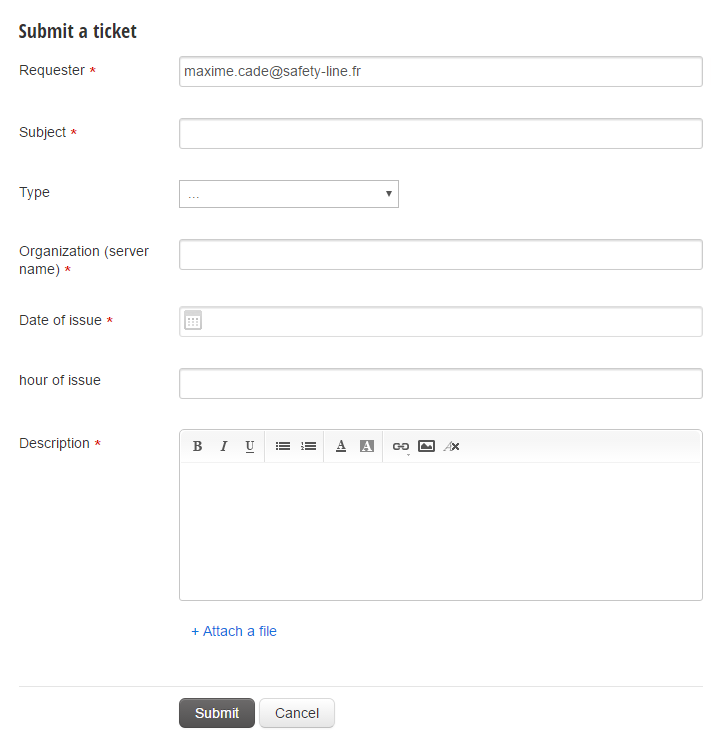
2) Then you can fill in your form :
-
· Organization (server name) : It is the
trigram or the name of your company. You can find it in the link of your page.
For example :
https://www.safety-portal.fr/DEMO/cube/#/occurrence/list
DEMO is the server name. It is always located between www.safety-portal.fr/ and /cube.
-
· Hour of issue : to enter 11h35 for example,
you have to fill in 1135.
-
· It is possible to attach a file at the end of
the form.
To finalize your ticket, click on « Submit ».
3) The page refreshes and you can now have a preview of your ticket.

- To close the ticket, click on this button :

- To add people to the conversation click on :

You can modify some other information at the right of the page :
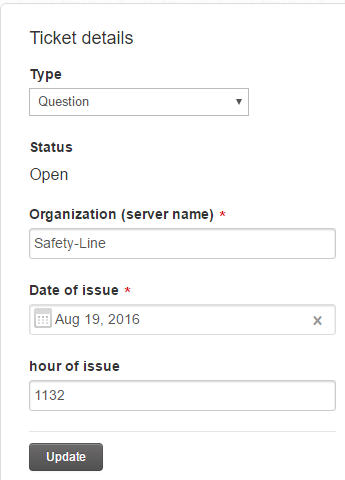
Then click on update.
4) To check the ticket status, click on the appropriate button :
 At the right of the page.
Finally will appear all the existing tickets.
You can sort the tickets by categories (« All Tickets », « Open or Pending », « Resolved or Closed »).
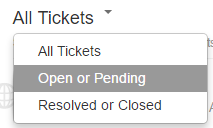
And you can precise you research with 2 other filters :
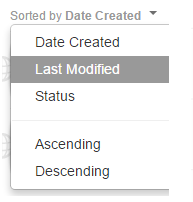
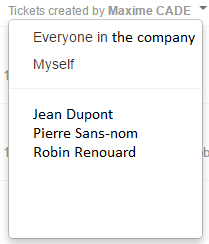
It is possible to export tickets :
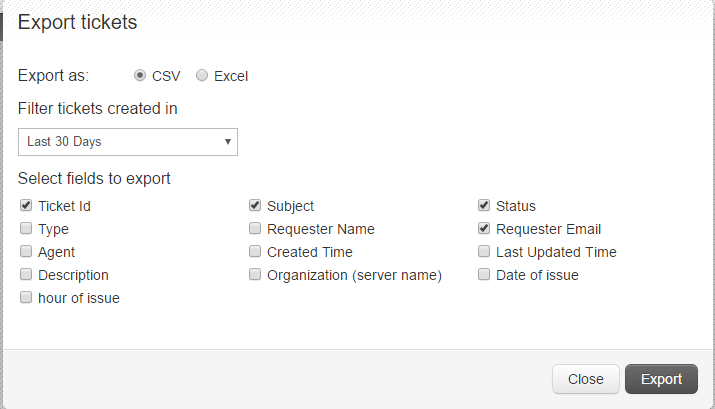
You can select all the fields you want in the export.
5) Finally, when the administrator responds to your form, you will receive an email, and the response will appear in the part : « Resolved or Closed ».